Spaces at a glance
Spaces is where your team keeps its docs, projects and meeting notes together. Here’s how it’s organized and where to start.
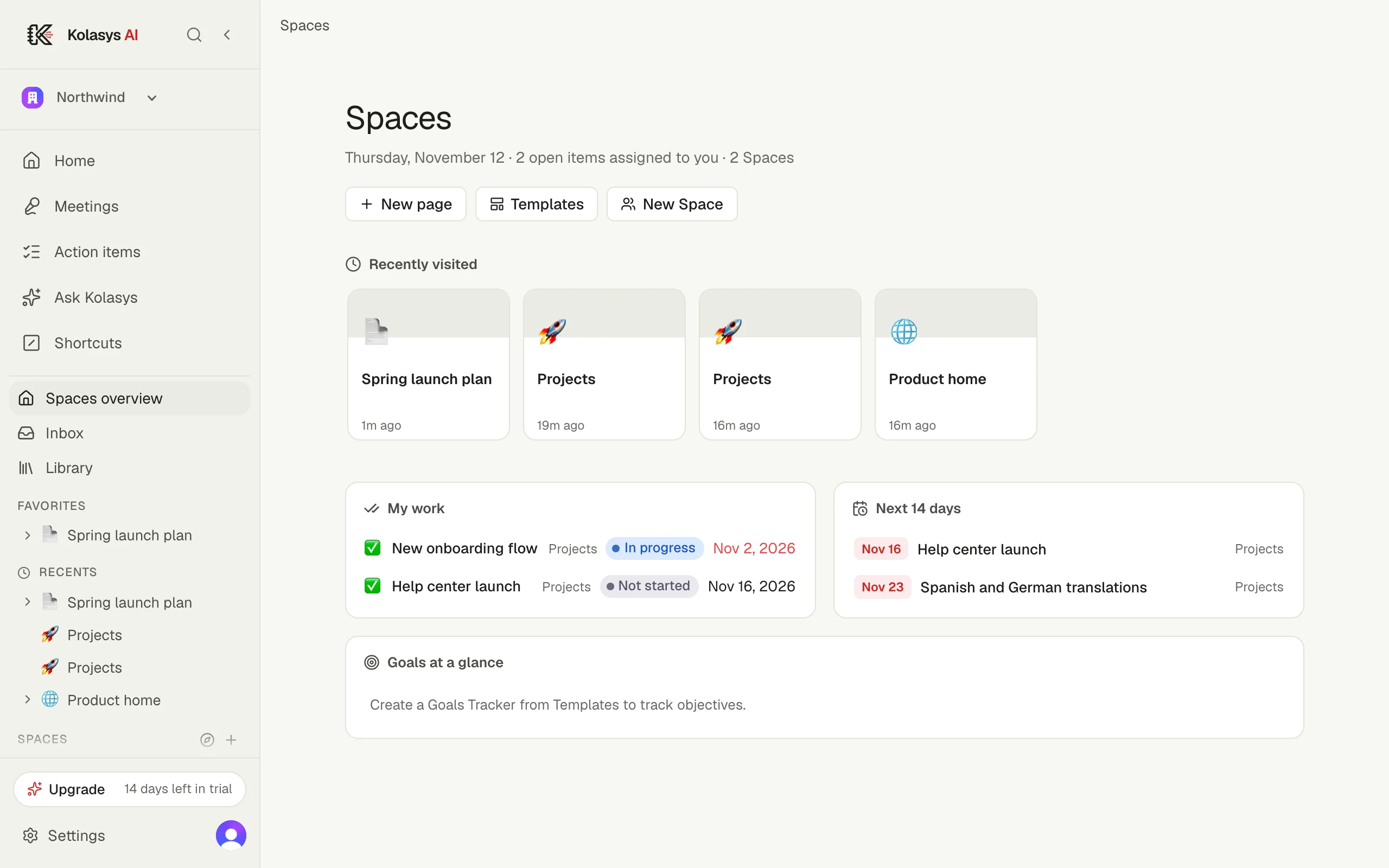
How it’s organized
Everything in Spaces is a page. A page can hold writing, a database, or other pages, so you can nest as deep as you need.
- A Space is a home for a team, project or client, like Product, Design or Acme Launch. It has its own members and its own pages.
- Private pages are only visible to you, until you share them.
- Databases are pages that hold rows, like tasks or projects, and show them as a table, board, calendar, timeline or chart.
- Meetings from Kolasys AI can be connected to a Space, so their notes and action items sit next to the work.
The sidebar
The left sidebar has Spaces overview, your Inbox and the Library at the top, then Favorites, Recents, Shared with you, Spaces and Private. See Find your way around the sidebar.
Where to start
- Create a Space for your team, and turn on the starter kit to get a wiki, projects and goals.
- Add your teammates to it.
- Connect your meetings so their notes land in the Space.
Was this helpful?
Still need help?
Email hi@kolasys.ai from the address on your account and we’ll reply by email.