Kolasys AI for Mac and Windows
Record any meeting from your computer.
The desktop app sits in your Mac's menu bar or your PC's system tray and captures your computer's audio and microphone, so Zoom, Meet, Teams or a phone call get recorded without a bot joining. Nothing is recorded until you press Start, and when you stop, your transcript, summary and action items land in your workspace.
Download
Kolasys AI for Windows
Windows 11 and Windows 10
Also for Mac: Apple Silicon · Intel
Kolasys AI for Mac
macOS 13 Ventura or later
Also for Windows 11 and 10: Download for Windows · 96 MB
Mac
macOS 13 Ventura or later
Windows
Windows 11 and Windows 10, 64-bit
One installer for every 64-bit PC. Installs just for you, no administrator password.
Windows: Windows 11 or Windows 10, 64-bit (x64). Installs just for you, with no administrator password.
Mac: macOS 13 Ventura or later, Apple Silicon or Intel.
Which Mac do I have? Open the Apple menu > About This Mac. “Chip: Apple M…” means Apple Silicon; “Processor: Intel” means Intel.
Both need a free Kolasys AI account. One account works on every computer and phone.
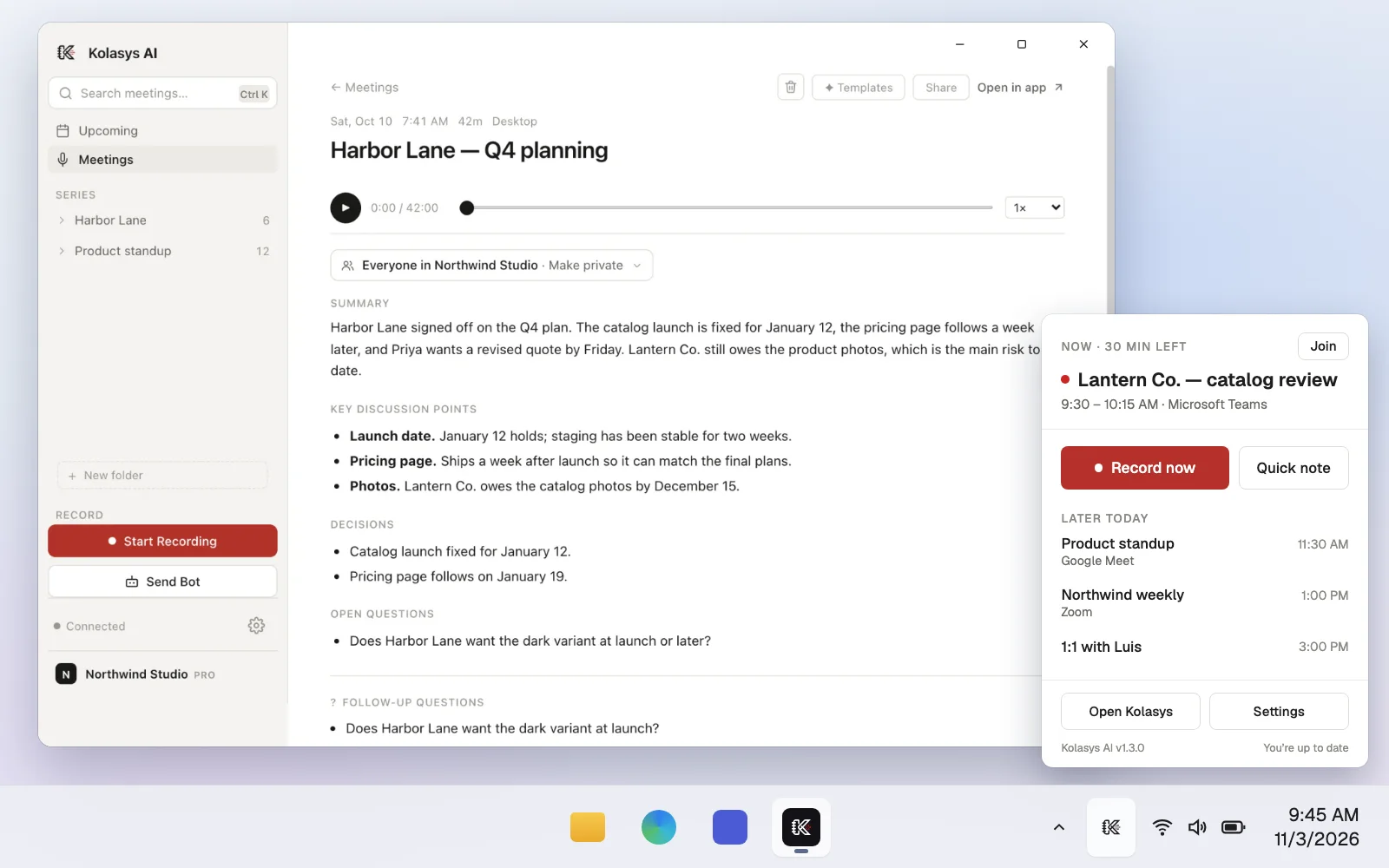
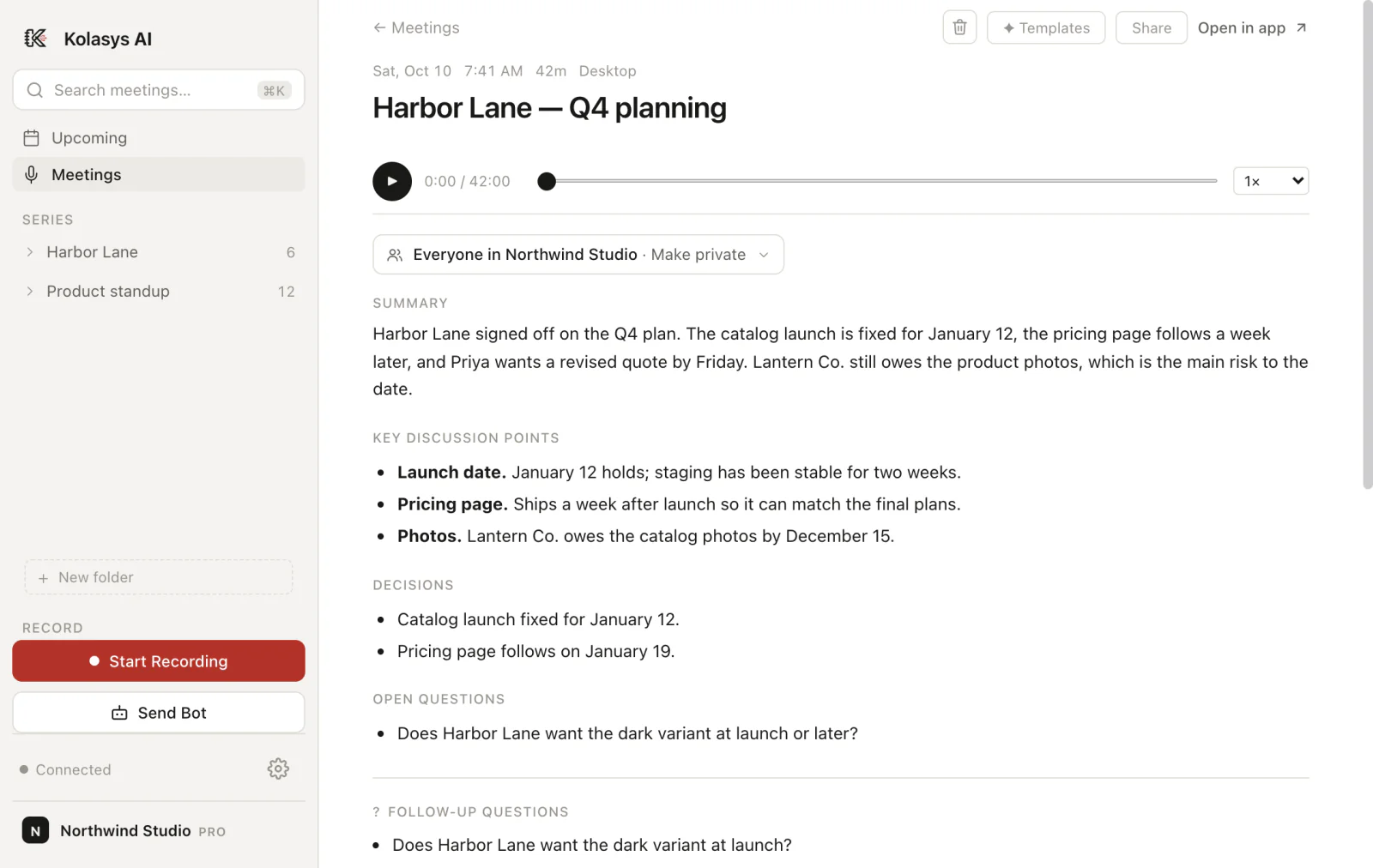
no bot in the call
01After you download
Install, sign in, record.
Windows
Step 1: Run the installer
Open Kolasys-AI-Setup-1.3.1.exe from your Downloads. It installs just for you, with no administrator password, and opens Kolasys when it's done.Step 2: Sign in
Use your Kolasys account. Kolasys then lives in the system tray, by the clock. If you don't see it, click ^ and drag the Kolasys icon onto the taskbar.Step 3: Record
Press Record now in the tray popup, or Start recording in the app. Kolasys only needs your microphone; if your voice isn't picked up, turn on microphone access in Settings › Privacy & security › Microphone.Windows 11 or Windows 10? Both record the whole call: your voice from the microphone, everyone else from your PC's sound. On Windows 11 Kolasys takes that sound straight from the apps playing it; on Windows 10 it records what plays on your speakers or headset, so pause music or videos you don't want in the notes.
Mac
Step 1: Install
Open the downloaded file and drag Kolasys AI into Applications, then open it from there.Step 2: Sign in
Use your Kolasys account. Kolasys then lives in the menu bar at the top of the screen.Step 3: Record
Press Record now in the menu bar, or Start recording in the app. The first time, macOS asks for Microphone and Screen & System Audio Recording. Allow both: one is your voice, the other is everyone else.
02What it does
A recorder that waits for you.
i.
No bot in the call
Records your computer’s sound and your mic, so no notetaker joins the call. Tell people you’re recording; the app reminds you.ii.
You decide when
Start and stop from the menu bar or system tray. The app never starts a recording on its own.iii.
Notes, automatically
When you stop, the recording uploads and Kolasys writes the notes and action items.
03On your phone
And for the meetings away from your desk.
Record in person on your iPhone, your Android phone or your Apple Watch. The notes land in the same account.