Your Space’s page
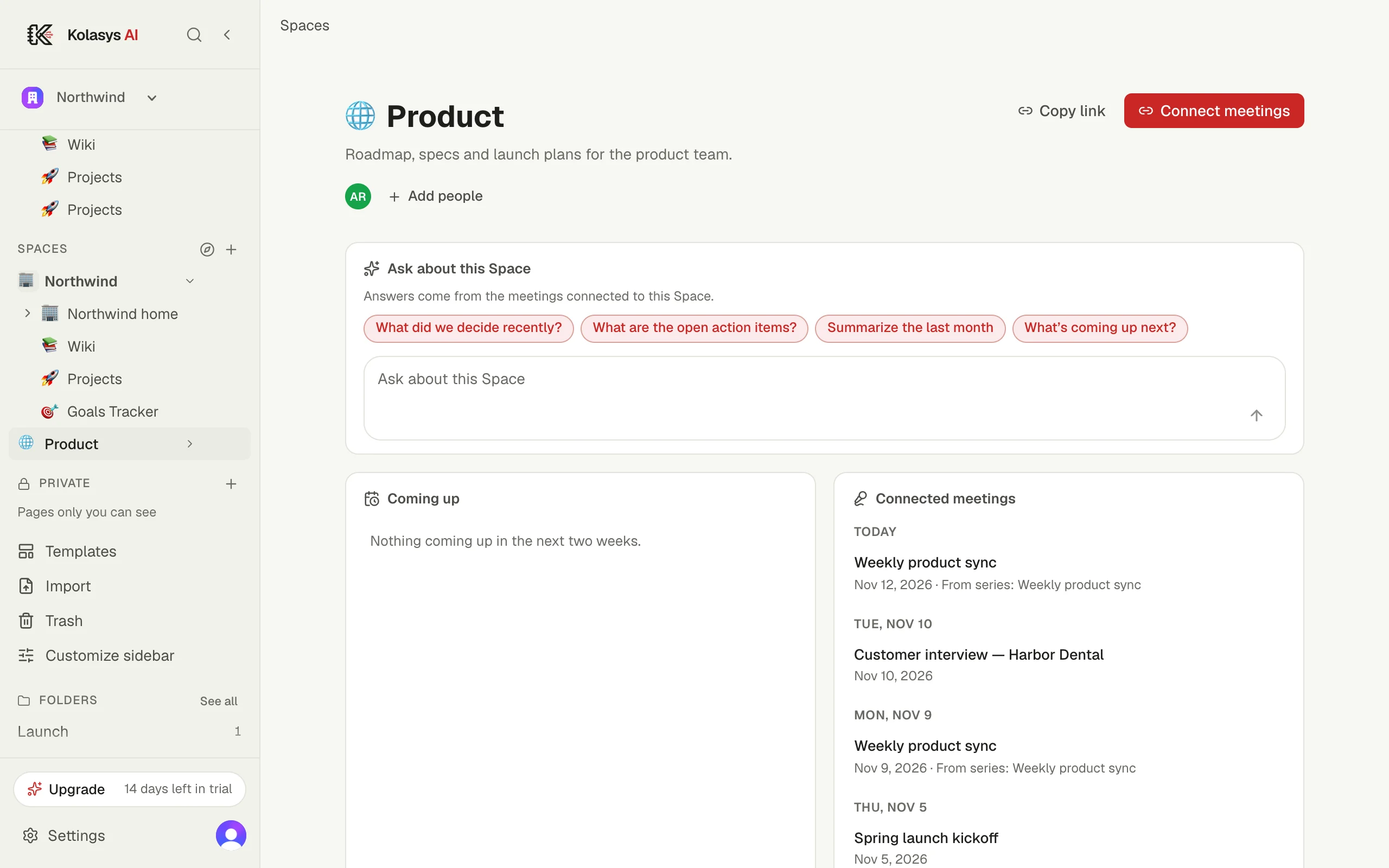
Each Space has a page with its meetings by day, what’s coming up, open action items, projects, pages and files, plus Ask.
Open it
Hover over the Space in the sidebar, click ••• and choose Open Space page.
What’s on it
- Ask about this Space: questions across its meetings. See Ask about a Space.
- Connected meetings: newest first, grouped by day (Today, Yesterday, then the date).
- Open action items from those meetings, Projects and Pages.
- Coming up and Files, below.
Coming up
Shows your next meetings in the coming two weeks that will land in this Space: ones you’ve set to be filed in a folder connected to the Space, and ones whose title clearly matches a connected series (“Weekly product sync”). It needs your calendar connected in Settings, and it only shows your own calendar.
Files
Every file and image on the Space’s pages that you can open, newest first, with the page it’s on. Click one to open it. Files removed from their page, or on pages in the trash, aren’t listed.
Copy a link to the Space
Click Copy link at the top of the Space’s page, or Copy link in its ••• menu in the sidebar. The link only opens for people who can see the Space.
Was this helpful?
Still need help?
Email hi@kolasys.ai from the address on your account and we’ll reply by email.