Space members, roles and permissions
Add people to a Space, make some of them owners, and decide who can add members or change the Space.
Add members
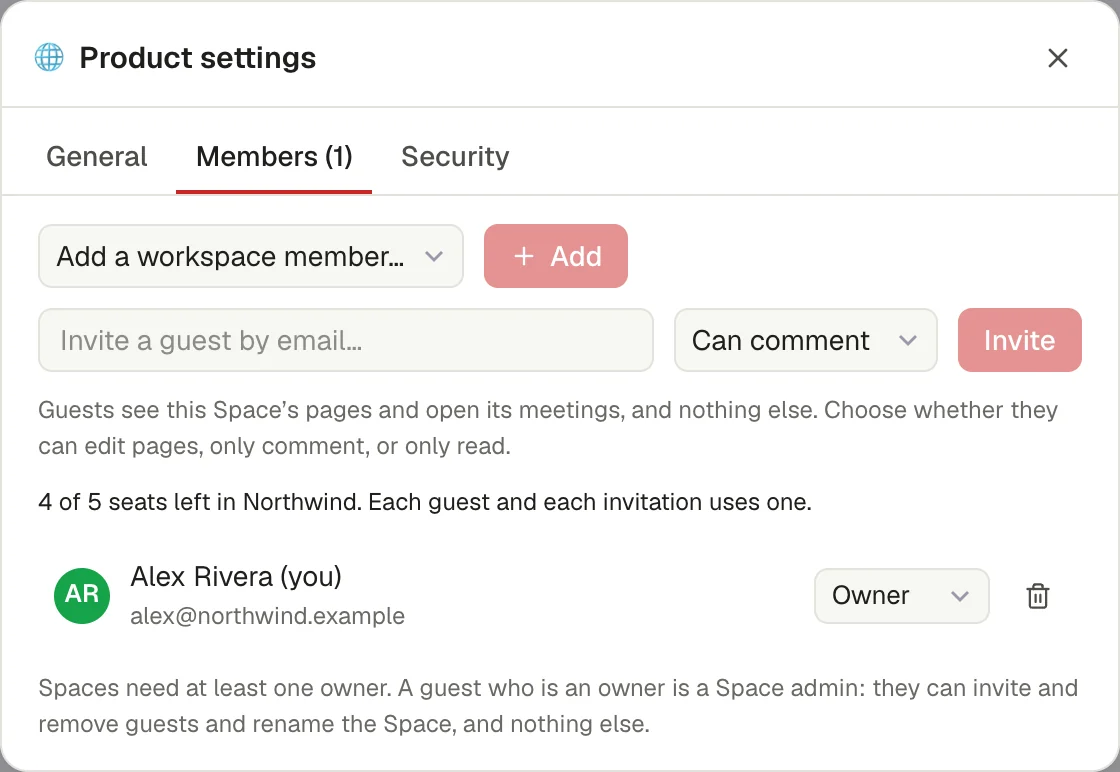
- Hover over the Space in the sidebar, click ••• and choose Members.
- Pick someone from Add a workspace member… and click Add.
- Use the menu next to their name to make them an Owner or a Member.
Owners and members
- Owner: manages the Space, its members and its settings.
- Member: sees and works on the Space’s pages.
Guests in a Space have Can edit, Can comment or Can view. A guest made an owner shows as Space admin.
Security settings
In Space settings › Security, owners choose who can add people to the Space, and who can change the Space’s sidebar. Members who can add people can invite guests too. Only owners remove people or change roles.
Leave a Space
Click ••• on the Space and choose Leave Space.
Was this helpful?
Still need help?
Email hi@kolasys.ai from the address on your account and we’ll reply by email.