Search your Spaces
Find any page by its title or its words, and narrow results by who made it, where it is and when it changed.
Open search
In Spaces, press ⌘K on a Mac or CtrlK on Windows, then type. Use the arrow keys to move through the results and Enter to open one.
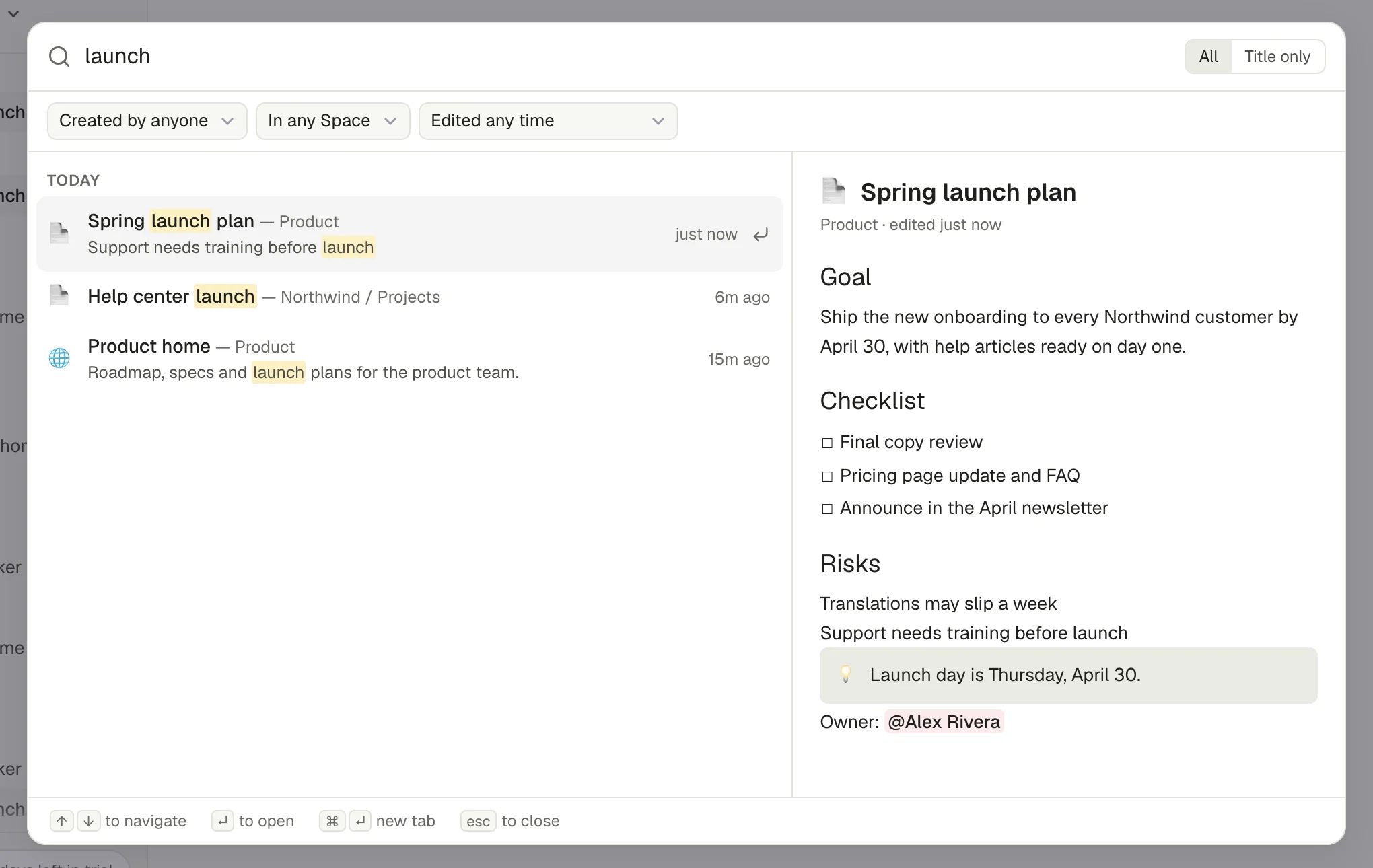
Narrow your results
- All or Title only: search page text too, or titles alone.
- Created by anyone: change it to see pages a particular person made.
- In any Space: change it to look in one Space, or in Private.
- Edited any time: change it to see pages that changed recently.
The right side shows a preview of the highlighted page.
Was this helpful?
Still need help?
Email hi@kolasys.ai from the address on your account and we’ll reply by email.