Tell people you’re recording
Recording laws differ from place to place, and some require everyone’s agreement. Here’s how Kolasys lets people know, and when it’s up to you.
Why it matters
In some places, everyone in a meeting has to agree before it’s recorded. The Recording consent required notice in New Recording says it plainly: by sending the bot, you confirm that everyone has been told. You’re responsible for following the law where you and the people you meet are.
The bot’s message in the meeting chat
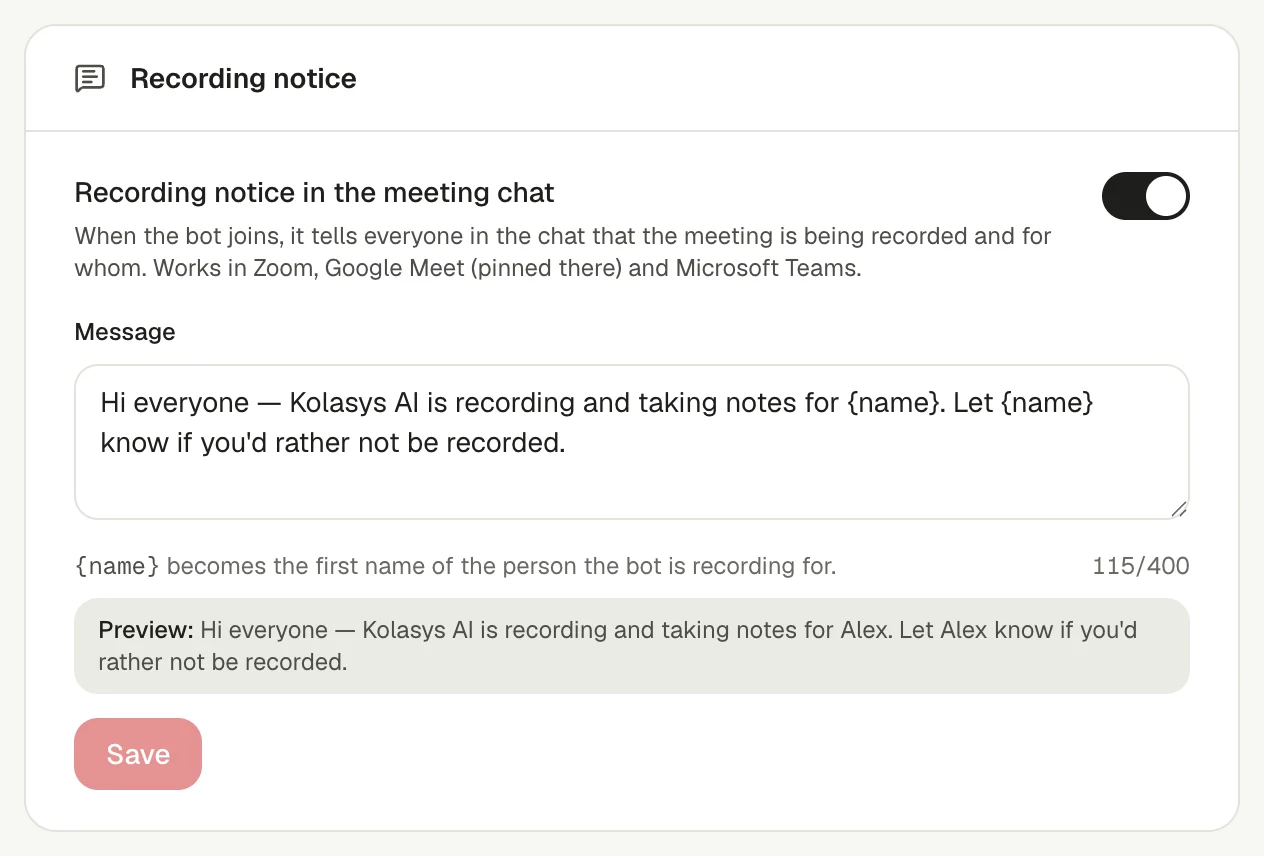
When the bot joins a Zoom, Google Meet or Microsoft Teams call, it posts a message to everyone in the chat. In Google Meet the message is pinned, so people who join later see it too. The default message is:
“Hi everyone — Kolasys AI is recording and taking notes for {name}. Let {name} know if you’d rather not be recorded.”
{name} becomes the first name of the person the bot is recording for. To change it, go to Settings › Calendar › Recording notice, edit the Message (up to 400 characters) and click Save. Use the default puts the original back.
On your computer, phone or browser
When you record with the desktop app, the iPhone, Android or Apple Watch app, or in your browser, no bot joins and nobody in the call is told. Say it at the start, or put a line in the meeting chat.
The desktop app can remind you. With Remind me to tell people I’m recording on (in Settings › Desktop app, inside the app), each recording starts with a reminder and a notice you can paste into the meeting chat. It’s on unless you turned it off.
People who get notes emails from your workspace can stop them. See Stop getting notes emails. For how recordings are stored and who can see them, see How Kolasys AI handles your data.
Was this helpful?
Still need help?
Email hi@kolasys.ai from the address on your account and we’ll reply by email.