Record in your browser
Record a conversation with your computer’s microphone, right from the web app, with nothing to install.
Record
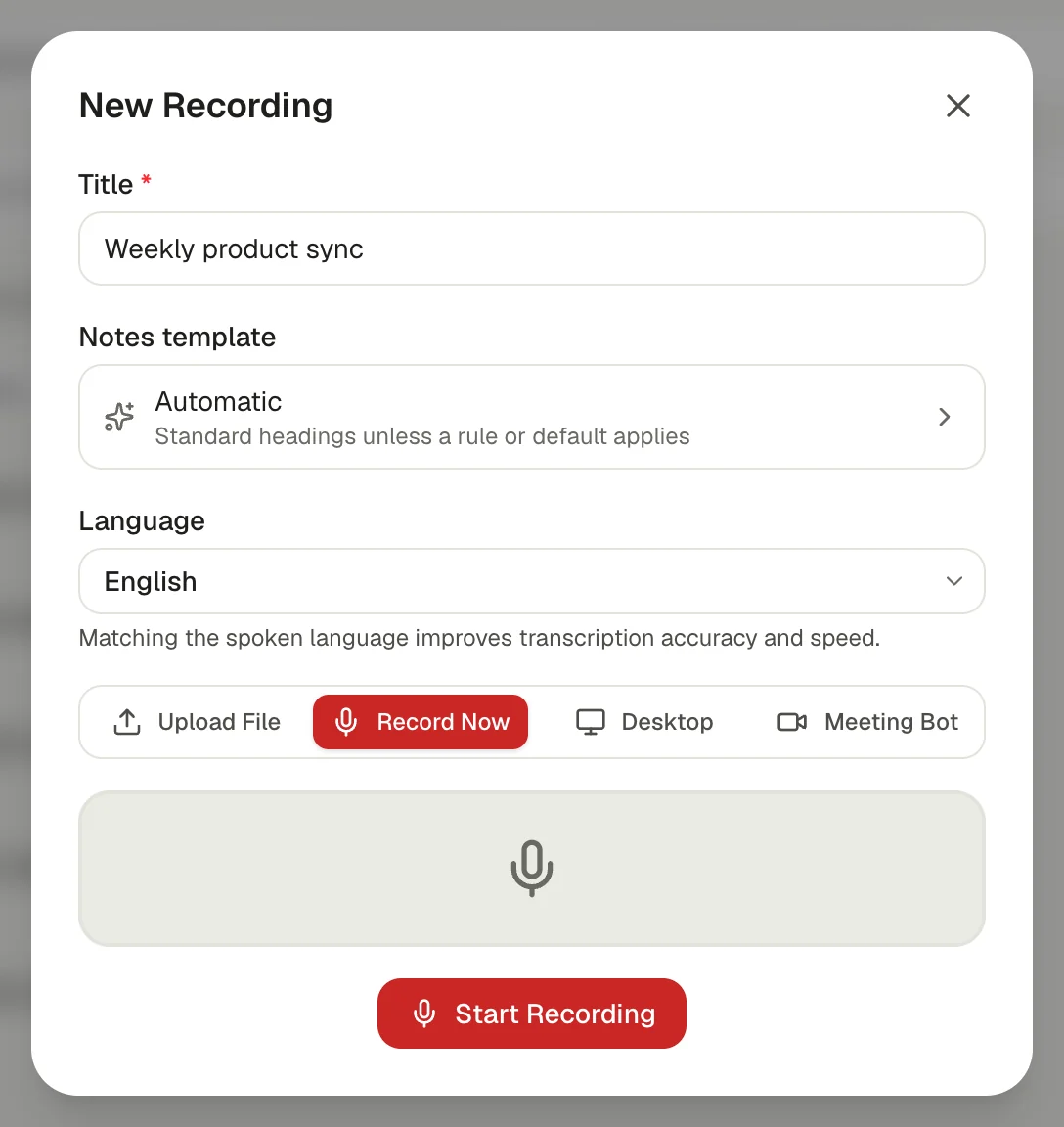
- Go to Meetings and click New Recording.
- Type a Title. If you know it, pick the Language people will speak.
- Click the Record Now tab, then Start Recording. Allow microphone access if the browser asks.
- Click Stop when you’re done.
- Click Use This Recording to upload it, or Re-record to start over.
Good to know
- It records your microphone only. For a call, the other side is only picked up if it plays out loud, and not at all through headphones. Use the meeting bot or the desktop app for calls.
- Keep the tab open until the window closes. Nothing is saved until you click Use This Recording.
- Inside the desktop app there’s no Record Now tab: use the Desktop tab instead.
Was this helpful?
Still need help?
Email hi@kolasys.ai from the address on your account and we’ll reply by email.