Record calendar meetings automatically
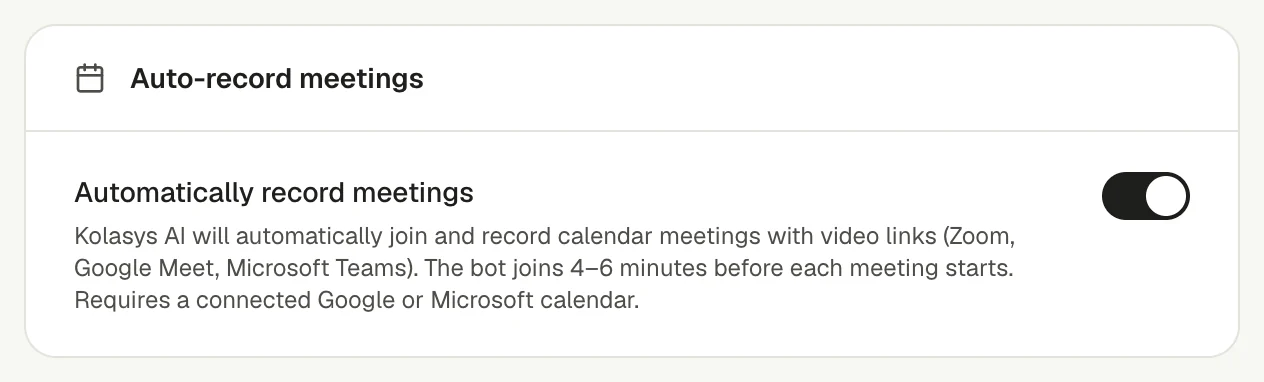
Have the bot join every Zoom, Meet and Teams meeting on your team’s connected calendars, with no link to paste. Owners and admins turn it on or off for the workspace.
How it works
While it’s on, Kolasys looks at the calendar of everyone in the workspace who has connected one. It sends the bot to each meeting with a video link, and the bot joins about a minute before the start.
- A meeting several teammates are invited to gets one bot, not one each.
- The recording belongs to the meeting’s organizer if they’re in the workspace, otherwise to a teammate who was invited.
- It follows that person’s Default visibility for my new meetings, so it’s private unless they chose otherwise.
Turn it on or off
- Go to Settings › Calendar.
- Under Auto-record meetings, turn Automatically record meetings on or off.
Which meetings it joins
- Meetings with a Zoom, Google Meet or Microsoft Teams link in the event, its description or its location.
- Not meetings you declined.
- Not meetings someone in the workspace is already recording on their computer or phone when the bot is due.
- Not meetings without a link, such as phone calls or meetings in a room. Record those another way.
- On the Free plan, none once the workspace has used its 3 meetings for the month. See I hit the Free plan limit.
The bot posts a recording notice in the meeting chat when it joins. See Tell people you’re recording.
Keep the bot out of one meeting
There’s no switch for a single meeting or a single person. Instead:
- Decline the meeting in your calendar. If a teammate accepted it, the bot can still come from their calendar.
- Leave the bot in the waiting room, or remove it from the call in Zoom, Meet or Teams.
- Or disconnect your calendar in Settings › Calendar.
Was this helpful?
Still need help?
Email hi@kolasys.ai from the address on your account and we’ll reply by email.