Import meetings from other tools
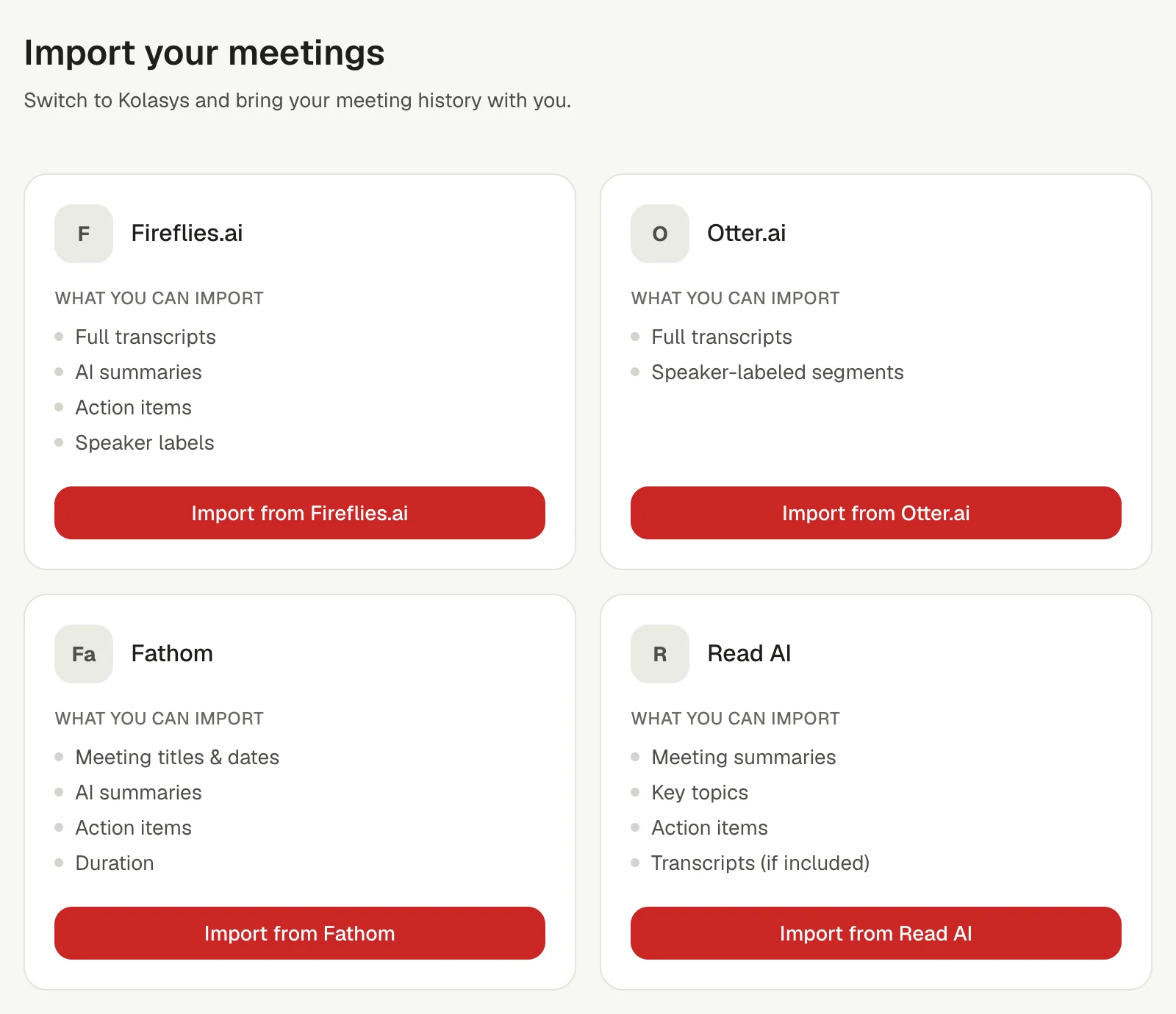
Bring your meeting history from Fireflies, Otter, Fathom or Read AI by importing the file you export from them.
What you can import
- Fireflies.ai: the ZIP export. Transcripts, summaries, action items and speaker labels.
- Otter.ai: a conversation exported as TXT or SRT. The transcript, with speakers.
- Fathom: the CSV export of your calls. Titles and dates, summaries, action items and length.
- Read AI: a report exported as PDF. The summary, key topics, action items, and the transcript if the report has one.
Have an audio or video file instead? See Upload a recording or Voice Memo.
Import a file
- Export your meetings from the other tool.
- In Kolasys, go to Settings › Import.
- Click Import from … on the tool’s card. The window says where to find the export in that tool.
- Drop the file in, or click to choose it, then click Import meetings.
- When you see Import complete, click View imported meetings.
Import one file at a time. Otter exports one conversation per file.
What you get
- A meeting for each one in the file, with its original title and date.
- The summary, action items and transcript from the export, as they were. Kolasys doesn’t rewrite them.
- No audio, and the transcript is one block of text, without timestamps.
- Imported meetings are yours, and follow your default visibility (usually only you).
See Who can see a meeting to share imported meetings with your team.
Was this helpful?
Still need help?
Email hi@kolasys.ai from the address on your account and we’ll reply by email.