Invite guests
Work with clients, contractors or a board in a Space or on a page, without giving them your whole workspace.
Invite a guest
To a whole Space:
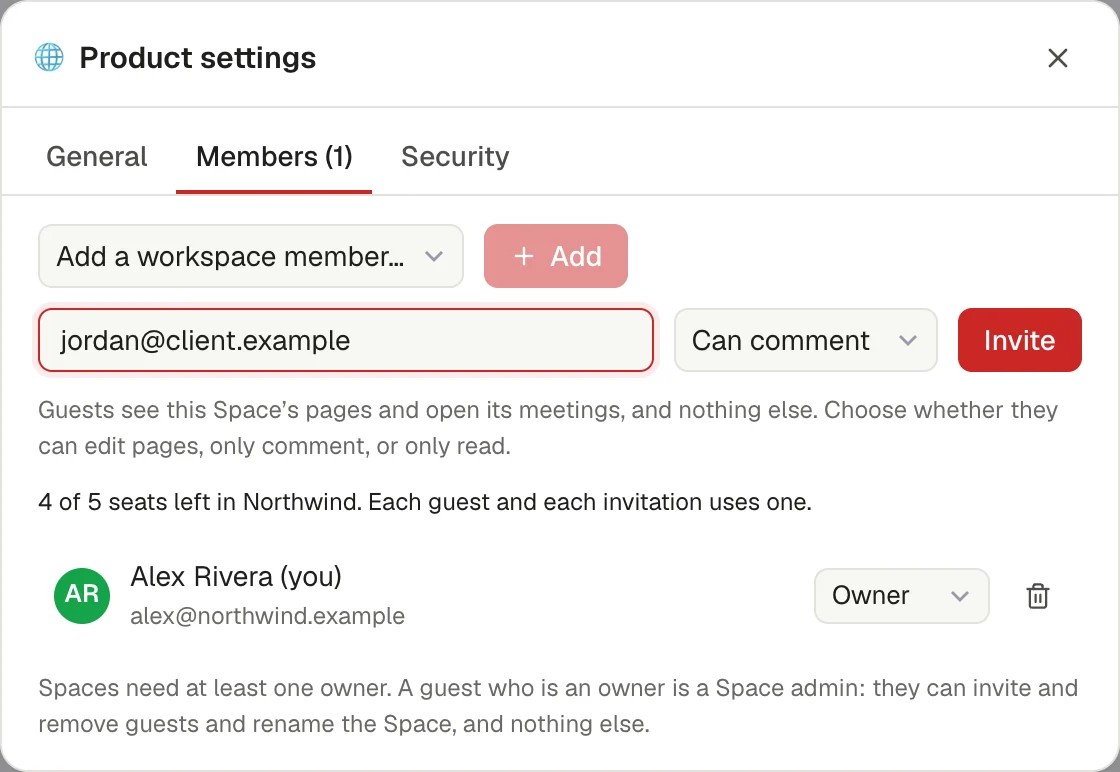
- Open Space settings › Members.
- Type their email in Invite a guest by email…, choose their access, and click Invite.
To one page: click Share, type their email, and choose Invite … as a guest.
They get an email with a link to open it.
What guests see
- Only the Spaces and pages they were invited to, and the meetings connected to those Spaces. Nothing else in your workspace.
- They can’t use Kolasys AI features, import files, or get Full access.
Was this helpful?
Still need help?
Email hi@kolasys.ai from the address on your account and we’ll reply by email.