Properties
Properties are a database’s columns: status, owner, due date, links to other databases and more.
Add a property
- In table view, click + at the end of the column headers.
- Name it and pick a type.
- Click a column header later to rename it, Change type, or Hide in view.
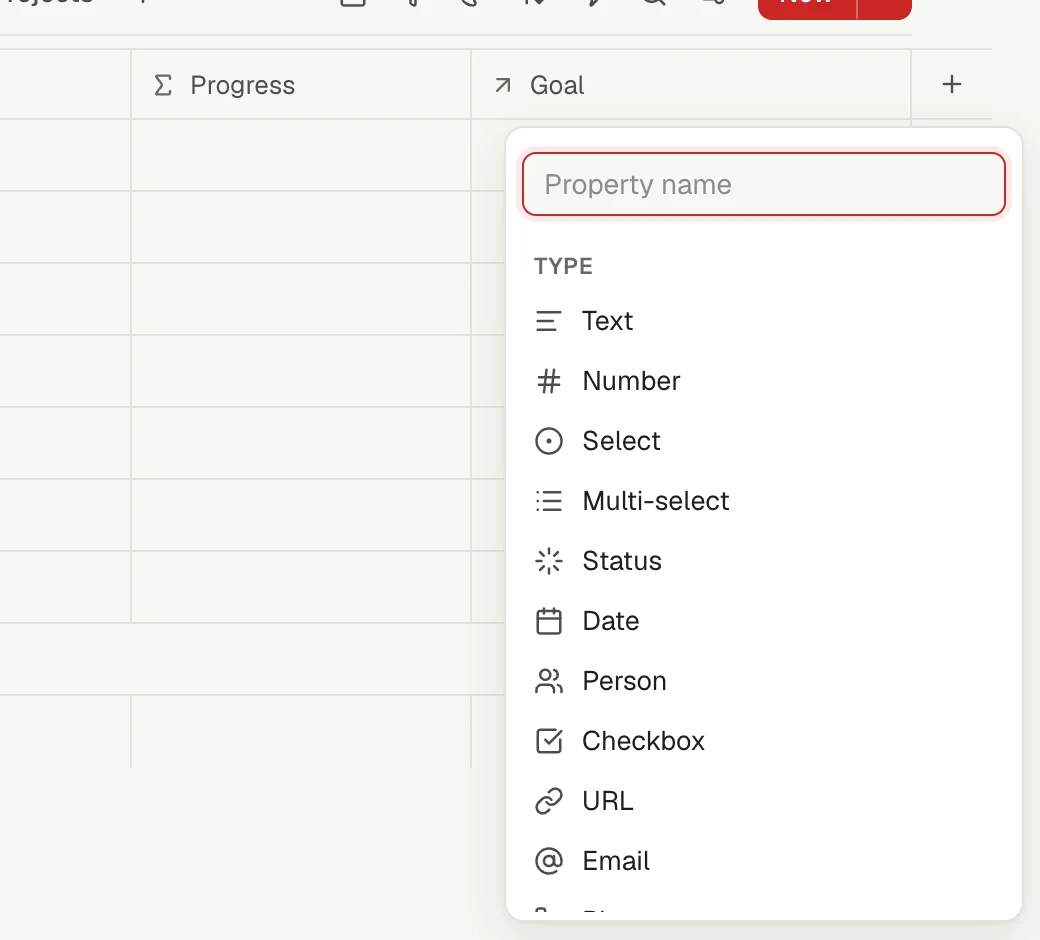
Property types
- Text, Number, Checkbox, URL, Email, Phone
- Select, Multi-select and Status: pick from a list of colored options.
- Date and Person: due dates and owners. Assigning someone notifies them.
- Files & media and Progress.
- Relation links rows in two databases, like tasks to projects. Rollup then shows a value from the linked rows, like how many tasks are done.
- AI summary: a short summary of each row’s page, written by Kolasys AI.
- Automatic: Created time, Last edited time, Created by, Last edited by and ID.
Was this helpful?
Still need help?
Email hi@kolasys.ai from the address on your account and we’ll reply by email.