Page style, notifications and export
Change a page’s font and width, choose which updates you hear about, and export it as PDF, HTML or Markdown.
All of these are in the ••• menu at the top right of a page.
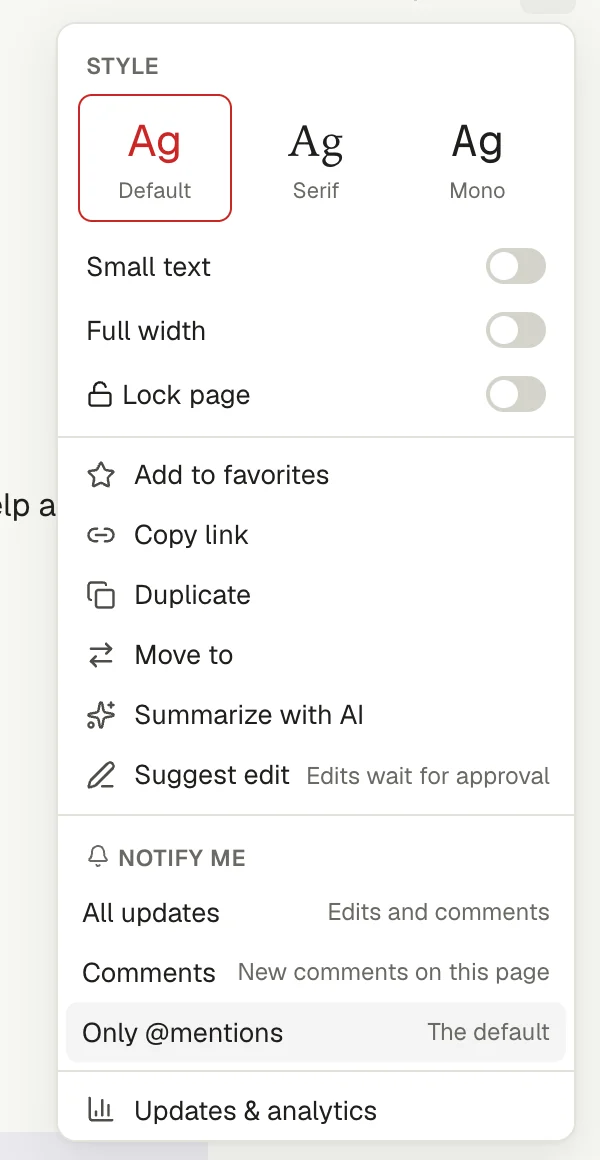
Style
- Font: Default, Serif or Mono.
- Small text fits more on the screen.
- Full width uses the whole window, handy for wide tables.
Notify me
Choose All updates, Comments or Only @mentions. Updates & analytics shows who changed and viewed the page.
Export a page
- Export as PDF opens a print window. Allow pop-ups for app.kolasys.ai if nothing appears.
- Export as HTML and Export as Markdown download a file.
Was this helpful?
Still need help?
Email hi@kolasys.ai from the address on your account and we’ll reply by email.