Auto-delete transcripts and audio
Have Kolasys delete each recording’s audio once it’s transcribed, or delete transcripts and audio after a period you choose. Notes and action items stay.
Both settings are off unless your workspace turns them on. They apply to everyone in the workspace, on every plan, and only owners and admins can change them. Without them, audio and transcripts are kept until someone deletes the meeting.
Delete audio after transcription
- Go to Settings › General.
- Under Audio retention, turn on Auto-delete audio after transcription.
From then on, each new recording’s audio file is deleted as soon as its transcript is done. Audio you already have is kept.
Delete transcripts after a period
- Go to Settings › Preferences.
- In Auto-delete transcripts after, choose 1 day, 1 week, 1 month, 3 months, 6 months or 1 year.
- Read the warning and click Delete after … to confirm.
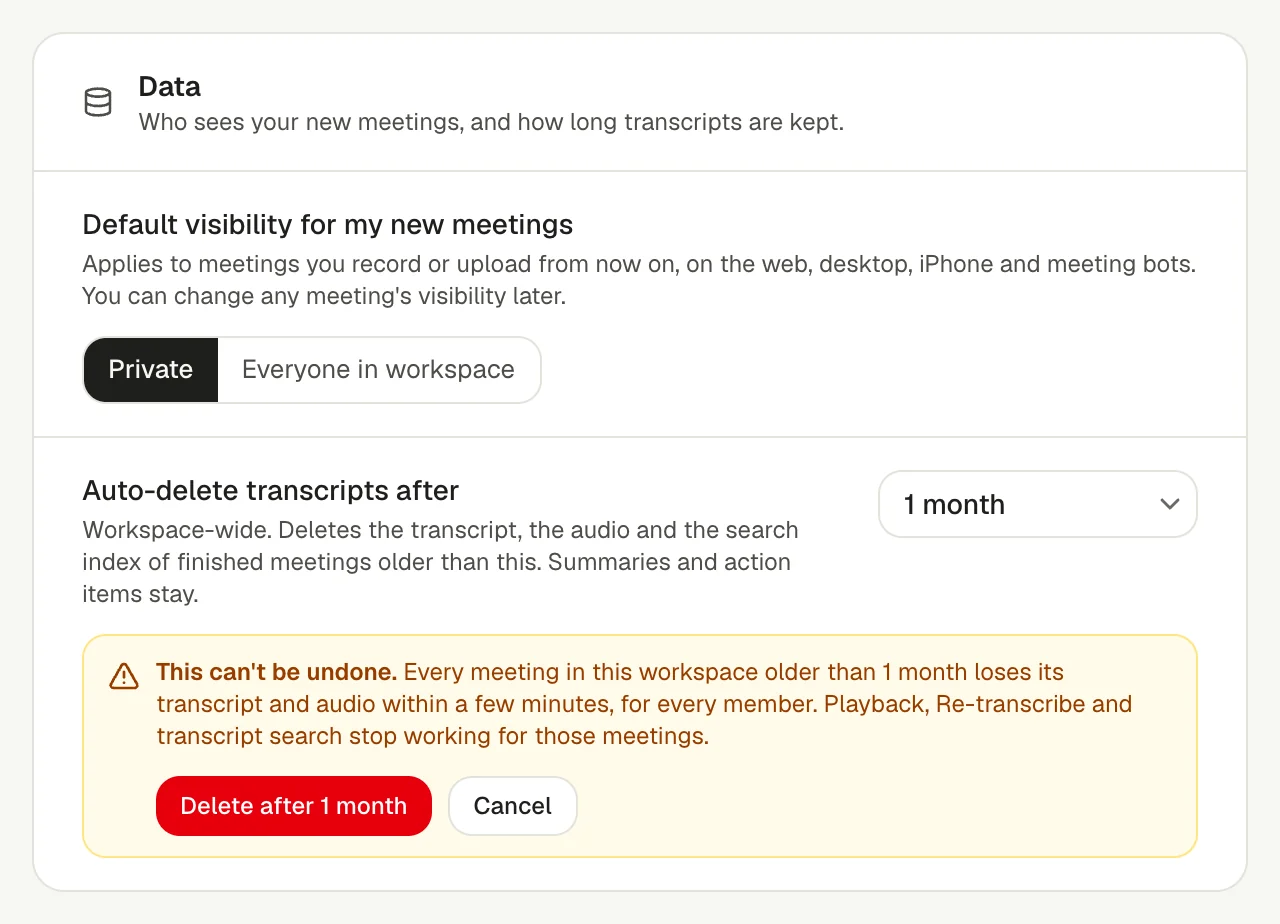
It applies to the meetings you already have, too. Within a few minutes, every meeting in the workspace older than the period, counted from when it was recorded, loses its transcript, its audio and its search index, for every member. Meetings are cleared the same way as they reach that age. Choose Off to stop.
What stays, and what stops working
- The summary, notes, action items, comments, title and attendees stay.
- Playback, re-transcribing and searching the transcript stop working for those meetings.
- Soundbites keep their title and times, but there’s no audio left to play.
Was this helpful?
Still need help?
Email hi@kolasys.ai from the address on your account and we’ll reply by email.